Pick a format
Seven presets, each a different shape of video rather than a topic: countdown, fast meme cut, calm loop, one specific TV show. Shape is what holds attention. Then change any of the 68 settings behind it.
Set up your niche once. ClipForge finds the clips, cuts them, scores the result for retention, and uploads it to your channel.

Sources from and publishes to

Fifteen seconds
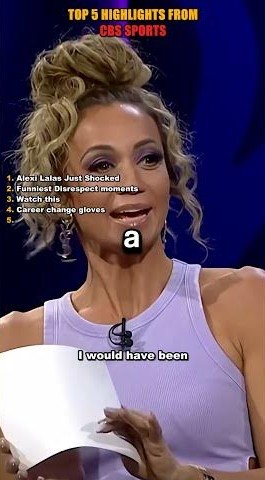
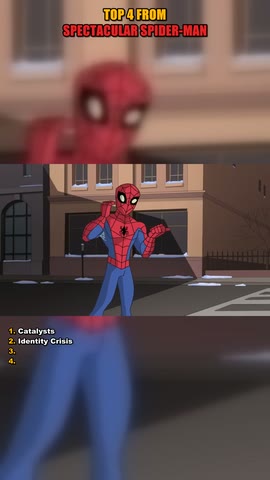
The format settings, the retention rules, the Publish button, and three of the videos that came out the other end.
0:15 · sound on
Everything after setup is one button, or nothing at all if you leave the daily schedule on.
Seven presets, each a different shape of video rather than a topic: countdown, fast meme cut, calm loop, one specific TV show. Shape is what holds attention. Then change any of the 68 settings behind it.
Give it a show, a channel or a plain search and it collects the candidate clips itself, then ranks them. Or drag in your own footage and skip the step entirely.
It cuts, scores, renders, writes the metadata and uploads. Connect a channel once and finished videos land there on their own, private until you say otherwise.
The retention gate
Every video is scored before a single frame is encoded. Below 55 the run is rejected, you are told exactly which rule failed, and the run is refunded to your monthly allowance.
Still flagged: only 5.3 cuts a minute, the edit feels static
.
Videos that pass report what was weakest, so the next one is better.
Most tools in this category will happily render anything you point them at, and you find out it was weak after it has been sitting on your channel for a week.
Scoring the plan instead of the finished file means a weak video costs nothing: no encode, no upload, no allowance spent. And because each rule is specific, the failure tells you what to change. Cut faster, shorten the opening, turn the numbered list on.
Footage and rights
Point it at YouTube and it collects the clips itself, or drag in your own. After that the pipeline is identical, and so is what comes out the other end.
Give it a show, a channel or a plain search. ClipForge pulls the candidates, ranks them on the same retention model that later gates the render, and cuts the survivors into one vertical video. You never open a downloader, and there is no shortlist left waiting for you to sort by hand.
Drag your clips in and they take the same cut, the same score and the same render. The only thing that changes is where the footage came from — and with your own, the question below never comes up at all.
Re-cutting is not laundering. The edit is new, but the footage underneath it still belongs to whoever shot it, and Content ID matches the content rather than the account that posted it. Nothing here changes that, and the tool makes no claim it can settle a claim for you.
So sourcing from YouTube ships off. Switching it on is a deliberate opt-in, because the terms-of-service and liability trade-off is a decision, not a default.
A run only counts once it renders. Rejected and failed runs are refunded automatically.
Free
Starter Most popular
Pro
No card required for the free plan. Everything it publishes defaults to private.
Either you upload it, or ClipForge collects it from YouTube for you: give it a show, a channel or a search and it pulls the candidates and ranks them. Stock and public-domain libraries were removed because they hold nothing useful for broadcast, sport or gaming.
They can. Re-cutting footage does not move its rights, and Content ID matches the content itself rather than who posted it. That is why sourcing from YouTube ships off behind an explicit opt-in. Upload footage you own and the question does not arise.
Pick a time and a timezone. Our servers queue a run when that time arrives, so nothing needs to stay open on your machine. An account runs at most once per calendar day, and a window missed by more than two hours is skipped rather than fired late at night.
Yes. Use Dry run to render without uploading, or leave visibility on private, which is the default for every new account, and publish from YouTube once you have watched it.
The run fails with a plain explanation rather than shipping a two-clip video, and the run is refunded to your allowance.
Three videos a month on the free plan, and every format setting is unlocked while you try it.
Start free